
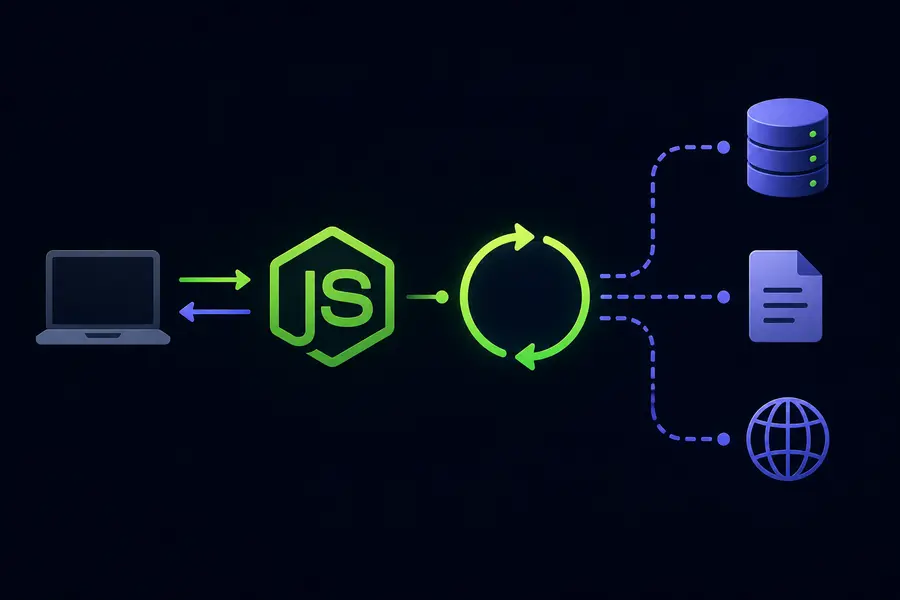
Understanding Asynchronous Programming in Node.js: From Callbacks to Async/Await
Asynchronous programming is the core concept that makes Node.js fundamentally different from traditional backend technologies.
It is the reason Node.js can handle thousands of simultaneous connections efficiently using a single-threaded architecture.
To truly understand Node.js performance, developers must understand non-blocking I/O, callbacks, promises, async/await, and the Event Loop.
Why Asynchronous Programming Exists
JavaScript is a single-threaded language.
This means JavaScript executes only one task at a time.
If a slow operation blocks the thread, the entire application becomes unresponsive.
Synchronous Blocking Example
console.log('Start');

const data =
    database.query(
        'SELECT * FROM users'
    );

console.log(data);

console.log('End');
If the database query takes three seconds, the entire application waits during that time.
The Non-Blocking Solution
Node.js solves this problem using non-blocking asynchronous operations.
Instead of waiting for slow tasks to finish, Node.js delegates them to the system and continues executing other code.
Once the operation completes, Node.js executes a callback or resolves a promise.
Callbacks
Callbacks were the first major asynchronous pattern in Node.js.
A callback is simply a function passed into another function to execute later.
const fs = require('fs');

fs.readFile(
    'file.txt',
    'utf8',
    (err, data) => {

        if (err) {
            console.error(err);
            return;
        }

        console.log(data);
    }
);
The application continues running while the file is being read.
The Callback Hell Problem
Callbacks become difficult to manage when asynchronous operations depend on each other.
fs.readFile('config.txt',
(err, config) => {

    db.connect(config,
    (err, connection) => {

        connection.query(
            'SELECT * FROM users',
            (err, users) => {

                fs.writeFile(
                    'users.txt',
                    JSON.stringify(users),
                    (err) => {

                        console.log('Done');
                    }
                );
            }
        );
    });
});
Deep nesting makes applications difficult to maintain and debug.
Promises
Promises were introduced to solve callback hell.
A promise represents a future value that may either resolve successfully or reject with an error.
fs.readFile('config.txt')

    .then(config => {
        return db.connect(config);
    })

    .then(connection => {
        return connection.query(
            'SELECT * FROM users'
        );
    })

    .then(users => {
        console.log(users);
    })

    .catch(err => {
        console.error(err);
    });
Promises flatten asynchronous logic and centralize error handling.
Async/Await
Async/Await is syntactic sugar built on top of promises.
It allows asynchronous code to look and behave like synchronous code.
async function getUsers() {

    try {

        const config =
            await fs.readFile(
                'config.txt'
            );

        const connection =
            await db.connect(config);

        const users =
            await connection.query(
                'SELECT * FROM users'
            );

        console.log(users);

    } catch (err) {

        console.error(err);
    }
}
This approach is cleaner, easier to read, and easier to maintain.
The Event Loop
The Event Loop is the internal system that powers asynchronous behavior in Node.js.
It constantly checks whether the call stack is empty and processes queued asynchronous tasks.
Main Event Loop Components
- Call Stack
- Node APIs
- Task Queue
- Event Loop
Slow operations such as file access, network requests, and database queries are handled outside the main JavaScript thread.
Understanding await
The await keyword pauses only the current async function, not the entire application.
async function example() {

    console.log('A');

    await somePromise();

    console.log('B');
}

console.log('Start');

example();

console.log('End');
The output becomes:
Start
A
End
B
The application continues executing while waiting for the promise to resolve.
Why Node.js Performance is So Good
Traditional blocking servers create one thread per request.
Node.js instead uses asynchronous I/O and the Event Loop to efficiently manage massive concurrency using minimal resources.
Best Practices
- Prefer async/await over callbacks
- Always use try/catch with async functions
- Avoid blocking operations
- Understand promise chaining
- Learn how the Event Loop works
Conclusion
Asynchronous programming is the foundation of Node.js architecture.
By understanding callbacks, promises, async/await, and the Event Loop, developers can build scalable backend applications capable of handling thousands of concurrent operations efficiently.