Effective Laravel Debugging with Telescope & Sentry
Modern Laravel debugging goes beyond using dd() and log files. Professional applications require observability and real-time monitoring.
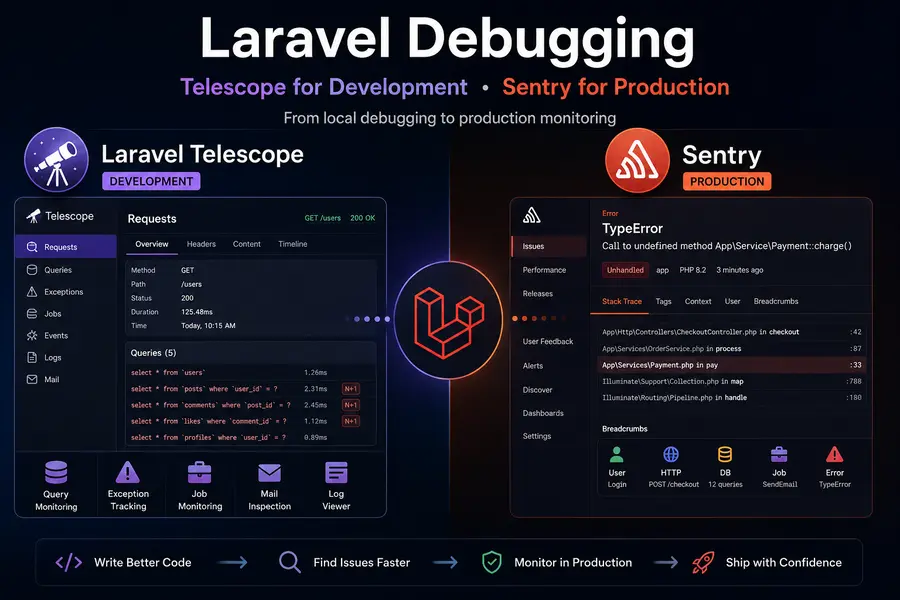
Laravel Telescope helps developers inspect application behavior locally, while Sentry provides production-grade error tracking.
Why Traditional Debugging Fails
Functions like dd(), var_dump(), and echo interrupt application execution and become useless for production issues.
Modern systems require continuous monitoring instead of temporary debugging output.
Laravel Telescope
Laravel Telescope is an official debugging assistant designed for local development.
Install Telescope
composer require laravel/telescope --dev

php artisan telescope:install

php artisan migrate
Access Telescope from:
/telescope
Telescope Features
- Query monitoring
- N+1 query detection
- Request and response inspection
- Job monitoring
- Event tracking
- Log visualization
N+1 Query Detection
Post::all();

foreach ($posts as $post) {
    echo $post->user->name;
}
Telescope helps identify inefficient query patterns instantly.
Sentry for Production Monitoring
Sentry tracks production errors in real time and provides detailed debugging context.
Install Sentry
composer require sentry/sentry-laravel

php artisan vendor:publish --provider="Sentry\\Laravel\\ServiceProvider"
Configure Sentry
SENTRY_DSN=https://xxxxxxxx@sentry.io/000000
Test Sentry
php artisan sentry:test
Why Sentry is Powerful
- Error grouping
- Real-time alerts
- Stack traces
- User context
- Performance monitoring
- Release tracking
Telescope vs Sentry
- Telescope: Best for local development debugging.
- Sentry: Best for production monitoring and alerts.
Professional Workflow
- Use Telescope during development.
- Deploy optimized code.
- Monitor production errors with Sentry.
- Fix issues before users notice them.
Conclusion
Laravel Telescope and Sentry together create a complete debugging and monitoring workflow for modern Laravel applications.
They help developers move from reactive debugging to proactive observability.